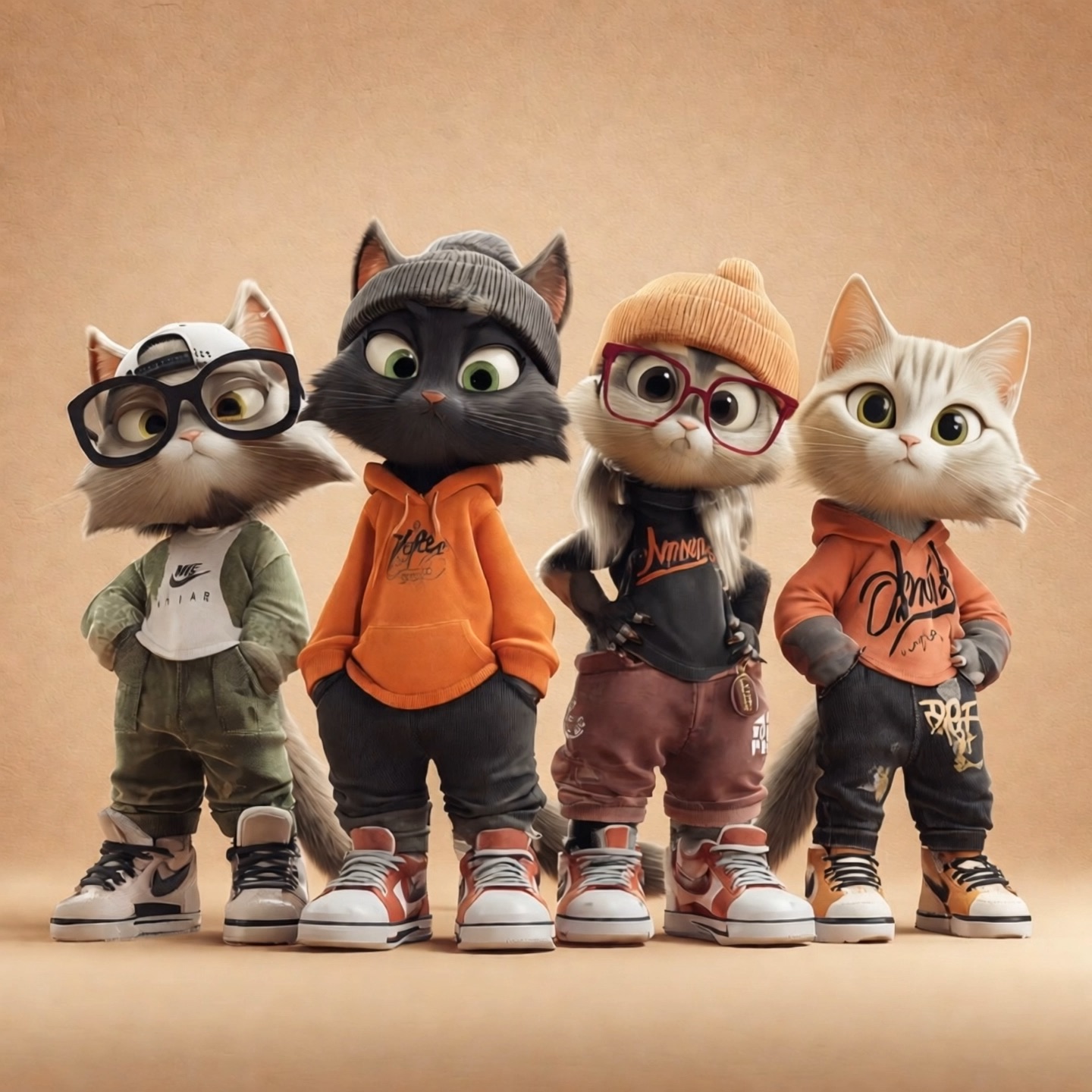
Turn a scene idea or reference into a short video with purposeful motion, camera direction, and sound.
Seedance 2.5 Flash Video Generator
Turn A Clear Idea Into A Moving Story
Give your next scene a beginning, a meaningful action, and an ending worth watching. Seedance 2.5 Flash video generator turns a written brief, an opening image, or selected references into short audiovisual stories. Shape the performance, framing, atmosphere, and sound instead of settling for a moving still. Use Seedance 2.5 Flash AI video for a product reveal, a character moment, or a social concept that needs a clear visual hook. Start with one focused idea, choose your settings, and explore how the story plays out with Seedance 2.5 Flash.

How To Create With Seedance 2.5 Flash
Bring a focused brief to Seedance 2.5 Flash video generator. Follow these four steps to move from an idea to a clip you can review.

Choose Your Starting Point
Select Text To Video, Image To Video, or Reference To Video. Add the opening image or reference files if your chosen mode needs them.

Describe The Action
Write what happens, how the camera moves, and what the scene sounds like. Give the action a clear ending.

Set Up Your Clip
Choose the available duration, framing, and resolution. Review the displayed credit requirement before generating.

Generate And Review
Generate your clip and watch the full result. Refine the brief if the movement, framing, or sound needs another pass.
More Ways To Direct Seedance 2.5 Flash
Build around story, reference, and sound. Seedance 2.5 Flash video generator gives these creative decisions a shared brief, helping you explore an idea without describing every detail from scratch. Use Seedance 2.5 Flash AI video to test how a character choice, product interaction, or audible cue changes the meaning of a scene. The examples below describe creative approaches, not guaranteed outcomes.
Build A Complete Short Story
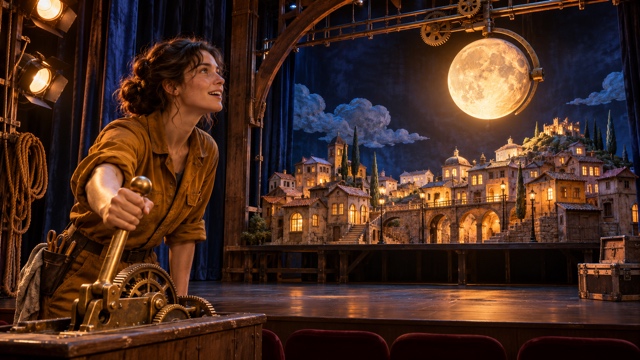
A memorable clip gives viewers something to follow. Seedance 2.5 Flash video generator helps you turn a written situation into a sequence with a setup, action, and payoff. Describe a theater technician finding a forgotten lever, pulling it, and watching a miniature moon illuminate the stage. This gives Seedance 2.5 Flash AI video a purpose beyond decorative movement. For text to video with sound, connect each important action to an audible event, such as a latch opening or an audience reacting.
Seedance 2.5 Flash supports clips up to 30 seconds, leaving room for a readable change within the scene. Use Seedance 2.5 Flash video generator to compare a direct reveal with a more playful discovery, changing one storytelling choice at a time. With Seedance 2.5 Flash AI video, an effective brief explains what the viewer should notice first and what should feel different by the final frame.
Give Your References A Clear Role
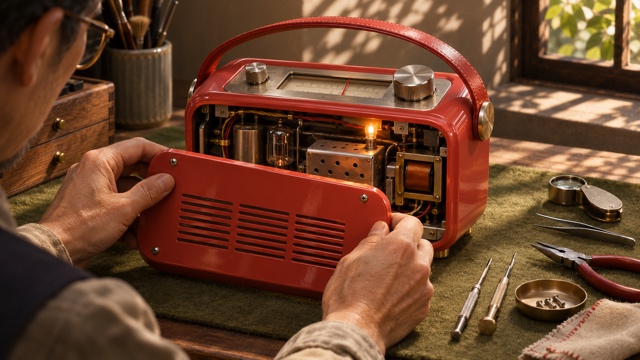
An image can establish a product, a character, or the visual language of a scene. Seedance 2.5 Flash video generator accepts image guidance so you can build video from reference images with a specific creative intention. To animate a product photo, choose a clean picture and describe a useful event: a craftsperson opens a portable radio, adjusts one component, and sees its light return. Tell Seedance 2.5 Flash AI video which details should remain recognizable and which movement should develop.
Seedance 2.5 Flash also supports video and audio references, with up to 10 images, five video clips, and five audio clips per request. Select only the material that serves the brief. Use Seedance 2.5 Flash video generator to explore an alternate performance or camera approach. Review Seedance 2.5 Flash AI video for shape consistency, hands, reflections, and the relationship between the subject and its surroundings.

Make Sound Part Of The Event
Sound gives an action weight and makes a setting easier to understand. Seedance 2.5 Flash video generator can generate audio alongside the picture, allowing you to plan speech, ambience, and effects as part of the same scene. For text to video with sound, describe an observable cause: a puppet crosses a wooden bridge while a sound artist matches each step with a coconut shell. Seedance 2.5 Flash AI video can then connect a playful visual idea to an audible rhythm.
With Seedance 2.5 Flash, keep short dialogue concise and identify the speaker. Specify the sound that matters most. Use Seedance 2.5 Flash video generator to explore a quiet room with one sharp mechanical click, or a busy workshop where an announcement briefly cuts through the ambience. Listen to the complete Seedance 2.5 Flash AI video result as well as watching it.
What To Make With Seedance 2.5 Flash
Choose a project with a clear purpose. Seedance 2.5 Flash video generator can help you explore product communication, ad concepts, character beats, and social stories. Start with the audience and the event you want them to understand, then use Seedance 2.5 Flash AI video to test that direction. Keep each variation specific enough to compare with the previous one.

Product Demonstrations
To animate a product photo, start with the benefit you want someone to understand. A lamp helps a reader finish a page; a small radio brings a repair bench back to life. Seedance 2.5 Flash video generator turns that brief into a scene with a useful action rather than a product floating without context. Guide Seedance 2.5 Flash AI video with a clean source image and a simple camera instruction. For video from reference images, describe the recognizable silhouette, finish, and placement. Seedance 2.5 Flash gives you a way to explore the demonstration before developing a wider campaign.

Short Video Ad Concepts
Use Seedance 2.5 Flash video generator to create short video ads around one audience need and one visible response. Show a missed delivery being rescued by a quick decision, or a practical item solving a small everyday inconvenience. Seedance 2.5 Flash AI video works best with a readable hook and an ending that makes the benefit obvious. To create short video ads with several creative angles, keep the core product brief consistent and vary the opening situation. Seedance 2.5 Flash can help you compare those directions visually.

Character And Story Previews
Use Seedance 2.5 Flash video generator to explore a character decision before building a longer sequence. Give the character a goal, an obstacle, and a response that fits the scene. With Seedance 2.5 Flash AI video, a missed train could lead to an unexpected meeting, or a backstage mistake could become a clever improvisation. Build video from reference images when appearance and setting need a clearer starting point. Seedance 2.5 Flash AI video supports that reference-led approach without removing the need to review continuity.

Social Clips With A Payoff
Use Seedance 2.5 Flash video generator for a compact story that stays understandable on a small screen. A surprising reveal, a satisfying repair, or a quick visual joke can give Seedance 2.5 Flash AI video a natural ending. To create short video ads or social variations, adapt the composition to the intended format and keep important action away from the edges. You can animate a product photo for a launch teaser or start from text for an original character moment. Review Seedance 2.5 Flash clips at normal playback speed, checking that the setup is clear before the payoff arrives.
Creative Perspectives
Illustrative names and reactions describe possible creative preferences. They are not verified customer testimonials or evidence of model performance.
Seedance 2.5 Flash video generator makes a clear story turn an appealing starting point for creative exploration.
Seedance 2.5 Flash video generator makes a clear story turn an appealing starting point for creative exploration.
I want product movement to explain a benefit. When I animate a product photo, purpose matters.
I want product movement to explain a benefit. When I animate a product photo, purpose matters.
For Seedance 2.5 Flash AI video, I prefer comparing a few endings around the same situation.
For Seedance 2.5 Flash AI video, I prefer comparing a few endings around the same situation.
I like a clear audible payoff. One well-timed footstep gives a short scene character.
I like a clear audible payoff. One well-timed footstep gives a short scene character.



Seedance 2.5 Flash Questions Answered
Understand the model, choose a sensible starting point, and plan your next version. These answers help you turn a broad idea into a brief that Seedance 2.5 Flash can work with. Review each completed clip against your own creative and delivery requirements.
Seedance 2.5 Flash is a ByteDance video generation model in the Seedance 2.5 family. It supports text, image, video, and audio inputs for short audiovisual creation, with 480p and 720p output and generation lengths from four to 30 seconds. Seedance 2.5 Flash video generator suits briefs where the subject, movement, and outcome can be described clearly. You can build video from reference images, start with an opening frame, or describe a scene in text. For Seedance 2.5 Flash AI video, the most useful starting point is a small number of deliberate choices about action, camera, and sound.
Start by naming the subject and the action that changes the scene. Then add the setting, framing, camera movement, and ending. For Seedance 2.5 Flash video generator, a short sequence of related actions is easier to assess than a long list of unrelated visual effects. With Seedance 2.5 Flash AI video, describe visible behavior instead of relying only on words such as cinematic or amazing. If you want text to video with sound, name the key audible events and keep any spoken line brief.
Yes. Seedance 2.5 Flash supports a first-frame image, first and last frames, and multimodal reference generation. Choose the matching input mode rather than treating every upload as the same kind of instruction. To animate a product photo, explain what moves and what should remain visually recognizable. For video from reference images, assign each useful image a role such as subject or setting. Seedance 2.5 Flash video generator also supports video and audio guidance within the published reference limits. With Seedance 2.5 Flash AI video, fewer relevant references and a precise brief can be easier to review than a large collection with conflicting compositions, lighting, or performances.
Seedance 2.5 Flash supports generated audio alongside video, including speech, ambience, and effects. Plan the audible action as part of the brief. With Seedance 2.5 Flash video generator, identify who speaks, keep the line short, and describe the main environmental sound. For text to video with sound, connect a cue to a visible event, such as a bell ringing when a door opens. Review Seedance 2.5 Flash AI video for timing, pronunciation, intelligibility, and the balance between voices and background sound. If an uploaded reference supplies important sound, explain its intended role and check the resulting clip carefully.
Seedance 2.5 Flash supports 480p and 720p, with standard generation durations from four to 30 seconds. Match the length to the number of actions in the brief. Seedance 2.5 Flash video generator does not need a long clip to show a simple reveal, while a short conversation or discovery may need more time to read naturally. Use Seedance 2.5 Flash AI video to explore framing and performance at the resolution appropriate to your project. Flash does not support 1080p or Draft mode. Before generating, review the available settings and displayed credit requirement.
Change one creative decision at a time. To create short video ads, hold the product and audience need steady while testing a different opening, action, or payoff. With Seedance 2.5 Flash, that gives you a clearer basis for comparing the results. Revisit the brief if the subject has too many tasks or the reference roles conflict. Look at hands, contact with objects, scene continuity, and sound timing throughout the clip. Keep the strongest version and refine the specific weakness you observed.
Create Your Next Scene With Seedance 2.5 Flash
Bring one clear idea, a useful reference if you have one, and a moment worth showing. Use Seedance 2.5 Flash AI video to explore the action, camera, and sound together. Start with a focused brief, review the result, and build on the version that communicates your story most clearly.