

Seedance 2.0 Reference to Video Generator Online
Guide characters, motion, scenes, and style with multimodal references
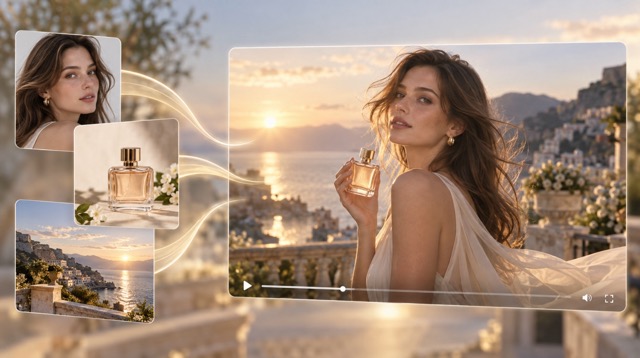
Seedance 2.0 Reference to Video turns visual and media references into a more controlled AI video workflow. Define who appears, how subjects move, what the scene looks like, and how the camera behaves through references and instructions. Use it for advertising, cinematic sequences, social content, product storytelling, and character-driven clips where continuity matters. The Seedance 2.0 Reference Video Generator keeps characters, products, motion, composition, and visual direction connected to source assets.
How to Use Seedance 2.0 Reference to Video
A strong Seedance 2.0 Reference to Video workflow gives every reference a clear role. Use images for characters, products, or environments and video for motion or camera language. Explain what each reference contributes, keep the visual priority clear, and refine one variable at a time. The Seedance 2.0 Reference Video Generator works best with a structured creative brief.

1. Add Your References
Choose references that solve specific creative problems. Use a portrait for character appearance, a product image for design details, a scene reference for environment, or a motion clip for pacing. Seedance 2.0 Reference to Video works best when every source has a clear purpose. Focused references give cleaner direction for identity, composition, action, and style.

2. Describe What to Follow
Tell Seedance 2.0 Reference to Video what should stay consistent and what should change. Define the subject, scene, action, camera behavior, lighting, mood, and sequence. If one reference controls identity and another controls motion, say so directly. Clear role assignment makes complex reference-based generation easier to review.

3. Generate and Refine
Generate a draft and compare it with your original references. Review identity, product details, motion, camera direction, composition, and continuity. Change the most important mismatch first instead of rewriting everything. Save successful instructions and references so later generations become faster and more consistent.
4 Core Features of Seedance 2.0 Reference to Video
Seedance 2.0 Reference to Video combines multimodal references with stronger creative control. Guide identity, motion, scene direction, and camera language while keeping separate source assets connected. These four features organize the Seedance 2.0 Reference Video Generator around consistency, motion, visual direction, and multimodal control.
Keep Characters and Products Consistent
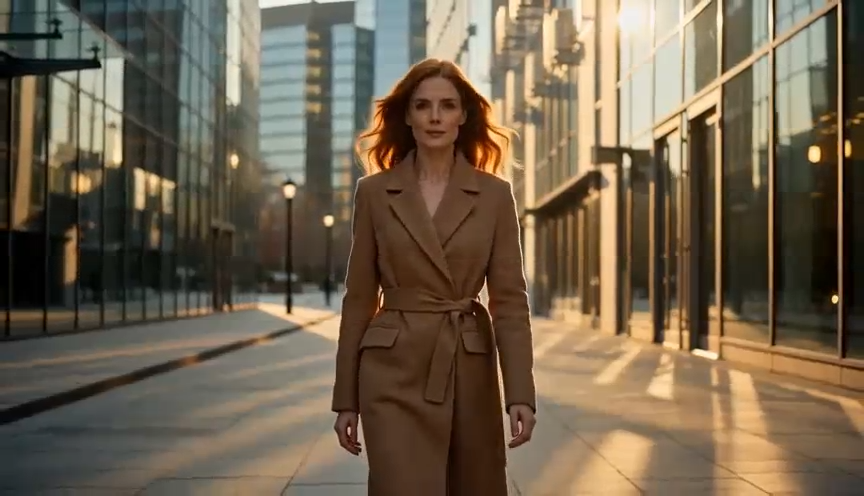
Use Seedance 2.0 Reference to Video when a result must stay connected to an existing character, product, prop, or visual identity. Image references can anchor appearance more strongly than text alone. Maintain recognizable characters across new settings or keep product design, color, and presentation closer to the approved source while camera angle, environment, or motion changes.

Guide Motion with Video References
Seedance 2.0 Reference to Video can use motion references for actions that are difficult to describe precisely. Guide body movement, pacing, camera tracking, rhythm, or shot progression with a reference clip. Pair a stable identity reference with a motion reference for dance, sports, fashion, dynamic product reveals, or cinematic blocking.

Control Scene, Style, and Camera Language
Use source material to guide composition, atmosphere, shot scale, camera movement, and overall visual direction. Moodboards, storyboard frames, location references, lighting examples, or camera references can establish a clearer target. Tell Seedance 2.0 Reference to Video what to borrow and what to reinterpret so the new scene stays original.
Combine Multiple Reference Types
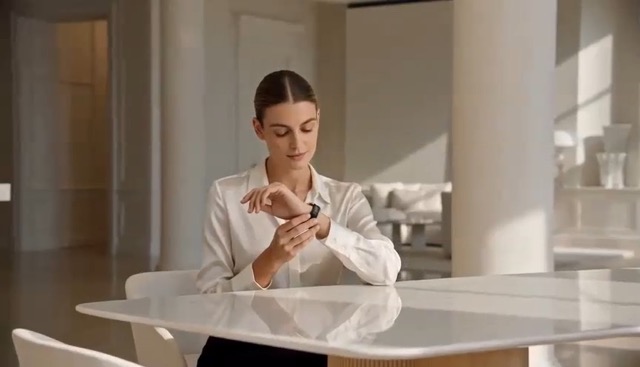
Combine text, images, video, and audio in one creative brief. Text explains the goal, images define subjects and environments, video demonstrates motion or camera behavior, and audio can guide audiovisual direction. Give every source a clear job so the Seedance 2.0 Reference Video Generator can handle more complex scenes without losing the original concept.
Where Seedance 2.0 Reference to Video Fits
Seedance 2.0 Reference to Video is most useful when a project already has something worth preserving: a character, product, visual system, movement reference, storyboard, or campaign direction. Use the Seedance 2.0 Reference Video Generator to explore new scenes and actions while keeping those source assets connected to the result.
Character-Driven Storytelling
Use Seedance 2.0 Reference to Video to explore the same character across locations, actions, shot types, and narrative moments. A portrait can establish appearance while the prompt defines the new scene. This suits story concepts, virtual characters, short films, episodic social content, and previsualization where recognizable identity links multiple clips.
Product Advertising
Start with an existing product image, then test new environments, camera approaches, lighting, and reveal sequences. Seedance 2.0 Reference to Video can support ad concepts, social promotions, launch visuals, and e-commerce storytelling while keeping key product details anchored to the approved source.
Motion and Performance Concepts
Use reference footage to show how a subject should run, dance, turn, gesture, or move through a scene. Pair motion with a separate character or product reference when needed. This helps creators prototype action before a larger shoot, animation workflow, or effects pipeline.

Storyboard and Previsualization
Turn storyboards, shot references, and development assets into moving concepts with Seedance 2.0 Reference to Video. Directors and agencies can discuss framing, transitions, camera movement, atmosphere, and pacing before production, making feedback more concrete than static boards alone.

Social Media Campaign Variations
Reuse approved character, product, environment, or style references while changing hooks, actions, framing, or settings. Social teams can build campaign variations without rebuilding the visual identity every time, helping Seedance 2.0 Reference to Video maintain a shared visual foundation.

Game and Concept Development
Concept artists and game teams can visualize characters, props, creatures, environments, and cinematic actions from existing art. Add a motion or camera reference when static art cannot explain the moment. Seedance 2.0 Reference to Video helps turn static concepts into motion tests.
Reference-Based Workflows for Different Creators
These examples show how different creative roles may use Seedance 2.0 Reference to Video. They are workflow examples rather than verified endorsements, focusing on preserving identity, transferring motion, developing campaign variations, and improving visual feedback.
Seedance 2.0 Reference to Video keeps approved characters and product visuals connected while new scenes are explored, making the creative brief easier to control.
Seedance 2.0 Reference to Video keeps approved characters and product visuals connected while new scenes are explored, making the creative brief easier to control.
The workflow helps test character references and movement ideas during previsualization before committing to a larger production.
The workflow helps test character references and movement ideas during previsualization before committing to a larger production.
A consistent reference set supports new hooks, angles, and environments while keeping social campaign variations visually connected.
A consistent reference set supports new hooks, angles, and environments while keeping social campaign variations visually connected.
Separating identity from movement makes a reference brief clearer and helps motion direction stay focused across different shots.
Separating identity from movement makes a reference brief clearer and helps motion direction stay focused across different shots.




Seedance 2.0 Reference to Video FAQ
Learn how Seedance 2.0 Reference to Video works, which references are useful, how it differs from simple image-to-video generation, and how to build a clearer reference-driven prompt with the Seedance 2.0 Reference Video Generator.
Seedance 2.0 Reference to Video is a reference-driven AI video workflow built around Seedance 2.0 multimodal generation. Reference material can define characters, products, scenes, composition, motion, camera behavior, or audiovisual direction. Use it when source assets should remain connected to a new scene, action, or story.
Image-to-video usually animates a single still image. Seedance 2.0 Reference to Video is broader because different references can control different roles. One asset may define the character, another the scene, and a video reference the motion or camera language, allowing several creative constraints to work together.
Choose references based on what you need to control. Use a portrait for identity, a product image for design details, environment imagery for location, storyboard frames for composition, and video clips for movement or camera behavior. Seedance 2.0 Reference to Video works best when every reference has a clear role.
Reference imagery can anchor character appearance more strongly than text alone. Consistency still needs review, especially for facial details, clothing, accessories, and complex movement. Use clear references, avoid conflicting identity cues, and state which details matter most.
Name the role of each reference, then describe the new scene in order: subject, action, environment, composition, camera movement, lighting, mood, and timing. Separate what should remain consistent from what may change, then refine one major variable at a time.
Create with Seedance 2.0 Reference to Video
Bring characters, products, scenes, motion ideas, and visual references into a more controlled workflow with Seedance 2.0 Reference to Video. Turn source assets into new creative directions while keeping important visual cues connected, then refine the strongest result into a video draft built around your intent.
