

Upload one clear, front-facing photo to replace only the dancer's face in the tiptoe video. No prompt needed.
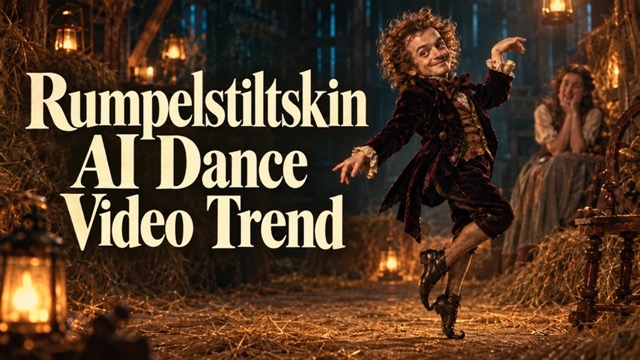
Rumpelstiltskin AI Dance Video Trend
Upload One Photo And Join The Tiptoe Dance
Join Rumpelstiltskin AI Dance Video Trend with one clear, front-facing photo. Put your face on the little dancer while the fixed reference supplies the tiptoe performance, costume, and straw-barn setting associated with tiptoeing in my Jordans. Rumpelstiltskin AI Dance Video Trend uses a prepared face replacement direction, so you do not need to write a prompt or describe the dance. Upload your portrait, generate your Rumpelstiltskin dance video, and review the result before sharing.
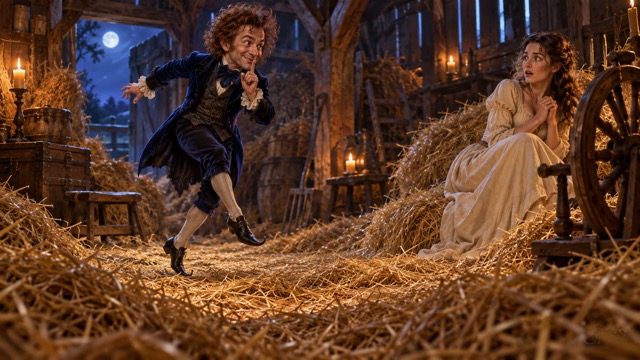
How To Join Rumpelstiltskin AI Dance Video Trend
Rumpelstiltskin AI Dance Video Trend keeps the user workflow focused on a single portrait. You provide the face; the prepared video provides the performance. Follow four simple steps to create a Rumpelstiltskin dance video without planning choreography. If you found the scene through tiptoeing in my Jordans, the reference already supplies its visual direction. Rumpelstiltskin AI Dance Video Trend requires no dance recording, costume photo, second character photo, or written prompt from you.

Choose A Clear Front-Facing Photo
Start Rumpelstiltskin AI Dance Video Trend with a sharp portrait showing one person and an unobstructed face. For a Rumpelstiltskin dance video, head-and-shoulders framing is enough; you do not need a full-body photo or a dancing pose. Rumpelstiltskin AI Dance Video Trend from a photo uses facial identity rather than your outfit or background. Avoid sunglasses, heavy filters, deep shadows, and hair or hands covering important facial features.

Upload Your Single Portrait
Add your photo to Rumpelstiltskin AI Dance Video Trend using the single image upload. Your Rumpelstiltskin dance video uses this image for the dancer's face, while the observer stays as in the reference. The tiptoeing in my Jordans performance is already supplied. Rumpelstiltskin AI Dance Video Trend does not ask you to upload a reference video, record yourself moving, or type instructions into a prompt field.

Generate The Face Replacement
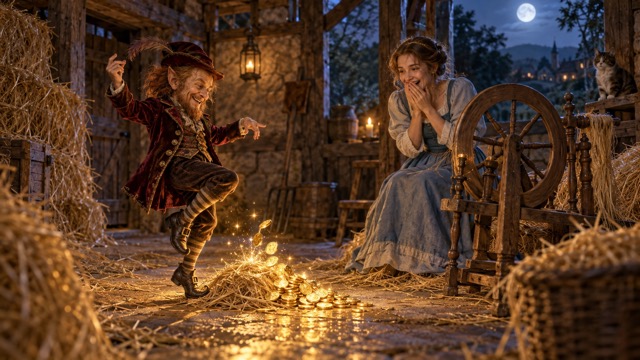
Generate Rumpelstiltskin AI Dance Video Trend after uploading the portrait. The prepared instructions target the small dancer's face and use the fixed video for movement, framing, and scene continuity. A Rumpelstiltskin dance video should follow that reference direction while retaining the dancer's original hair, body, velvet costume, and shoes. For tiptoeing in my Jordans, the recognizable performance comes from the supplied clip. Rumpelstiltskin AI Dance Video Trend handles the dance instructions without asking you to invent a new scene.

Review And Save Your Video
Watch Rumpelstiltskin AI Dance Video Trend through every shot before saving your preferred result. Review your Rumpelstiltskin dance video for any change to the observer or the original performance. Rumpelstiltskin AI Dance Video Trend from a photo is generative, so individual takes can vary. If likeness needs improvement, use a clearer, more evenly lit portrait. Save the finished clip and choose an appropriate sound when you post it.
Face Replacement Features For Rumpelstiltskin AI Dance Video Trend
Rumpelstiltskin AI Dance Video Trend combines your portrait with a fixed dance reference. The three features below explain the intended Rumpelstiltskin dance video workflow: change the face, follow the source performance, and avoid prompt writing. The tiptoeing in my Jordans scene supplies the visual context. Rumpelstiltskin AI Dance Video Trend illustrations are creative concepts, not verified results from this face replacement configuration; review the generated video to judge likeness and motion.
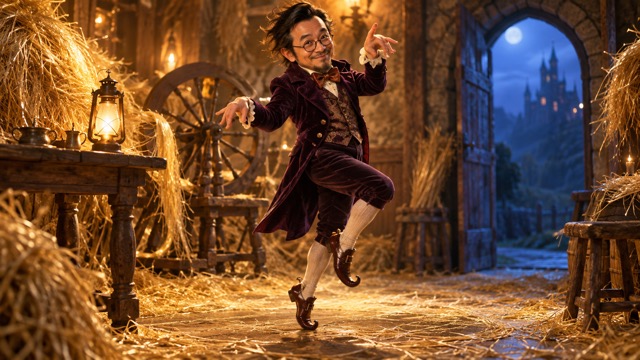
Your Face On The Little Dancer
Bring your facial identity into Rumpelstiltskin AI Dance Video Trend using one front-facing portrait. A Rumpelstiltskin dance video keeps the reference hair, head scale, body, clothing, and shoes as its visual foundation. For tiptoeing in my Jordans, that familiar costume helps keep the character recognizable. Rumpelstiltskin AI Dance Video Trend from a photo does not use your portrait to redesign the barn, dress the dancer, or replace the seated observer.
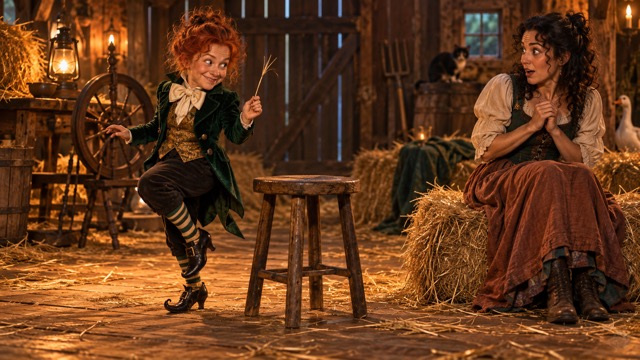
The Reference Supplies The Dance
Use Rumpelstiltskin AI Dance Video Trend with the supplied performance instead of describing toe steps yourself. Your Rumpelstiltskin dance video is directed to keep these source details while changing the dancer's face. The tiptoeing in my Jordans mood depends on that performance and its reaction beats. Rumpelstiltskin AI Dance Video Trend uses reference guidance, but it remains a generative process; check the finished take rather than assuming every frame will match perfectly.
One Photo Without Prompt Writing
Start Rumpelstiltskin AI Dance Video Trend without learning prompt terminology. A Rumpelstiltskin dance video begins with your portrait and the generate action, without a separate choreography brief. The tiptoeing in my Jordans setting, costume, and performance stay tied to the fixed reference. Rumpelstiltskin AI Dance Video Trend from a photo suits a quick personal version of the meme: choose an unobstructed face, upload it once, generate, and review. A better source photo is more useful than adding a long written description.
Ways To Share Rumpelstiltskin AI Dance Video Trend
Rumpelstiltskin AI Dance Video Trend can turn a familiar portrait into a personal reaction clip. Choose a photo that fits the person you want to see in the dancer's role. A Rumpelstiltskin dance video uses the same prepared workflow for each of these ideas. Rumpelstiltskin AI Dance Video Trend keeps the focus on facial casting within the tiptoeing in my Jordans scene, rather than asking you to direct a different performance.
Personal Group-Chat Reactions
Use Rumpelstiltskin AI Dance Video Trend for a recognizable face your friends will immediately connect with. Upload a clear portrait and let the reference provide the joke's theatrical delivery. A Rumpelstiltskin dance video can become a reaction to a familiar situation when you add a caption after generation. Rumpelstiltskin AI Dance Video Trend keeps the face replacement task simple; the tiptoeing in my Jordans dance and observer reaction remain part of the prepared reference rather than something you must recreate yourself.

Your Own Social Video
Put yourself into Rumpelstiltskin AI Dance Video Trend without filming a dance or finding a costume. Choose a recent, well-lit portrait so your Rumpelstiltskin dance video has useful facial information. You can plan a post caption separately and review how the clip appears in your chosen layout. Rumpelstiltskin AI Dance Video Trend carries the recognizable tiptoeing in my Jordans scene through its fixed reference; your uploaded face supplies the personal detail. Keep the full video visible when checking the result before posting.

A Friend In The Dancer Role
Try Rumpelstiltskin AI Dance Video Trend with a friend's portrait when they agree to appear in the clip. Use one face per upload and check that you have chosen a sharp, unobstructed photo. A Rumpelstiltskin dance video targets only the dancer, so you do not need another photo for the watcher. Rumpelstiltskin AI Dance Video Trend gives tiptoeing in my Jordans a familiar face while keeping the source character's body, outfit, and performance as the reference. Review the result together before sharing it.

Playful Portrait Variations
Use Rumpelstiltskin AI Dance Video Trend to compare which of your portraits gives the clearest likeness. Keep the effect and reference consistent while choosing a better-lit photo or a more direct angle. Rumpelstiltskin AI Dance Video Trend does not need a new costume brief or a different set of dance instructions for each attempt. The tiptoeing in my Jordans reference supplies those details.
Creative Reactions To Rumpelstiltskin AI Dance Video Trend
These fictional names and illustrative reactions describe preferences for Rumpelstiltskin AI Dance Video Trend; they are not verified customer endorsements or evidence of generated results. They show what different creators may look for in a Rumpelstiltskin dance video inspired by tiptoeing in my Jordans.
I like Rumpelstiltskin AI Dance Video Trend with one portrait and a clear purpose: keep the familiar performance and make the dancer's face feel like mine.
I like Rumpelstiltskin AI Dance Video Trend with one portrait and a clear purpose: keep the familiar performance and make the dancer's face feel like mine.
Rumpelstiltskin AI Dance Video Trend feels most recognizable when the velvet outfit and original body stay in place. The personal detail should come from the face.
Rumpelstiltskin AI Dance Video Trend feels most recognizable when the velvet outfit and original body stay in place. The personal detail should come from the face.
I prefer Rumpelstiltskin AI Dance Video Trend with the source dance and observer reaction together. Those connected moments give the face replacement its playful context.
I prefer Rumpelstiltskin AI Dance Video Trend with the source dance and observer reaction together. Those connected moments give the face replacement its playful context.
Rumpelstiltskin AI Dance Video Trend suits a simple workflow. I would rather choose a clear photo and review the result than write instructions for every movement.
Rumpelstiltskin AI Dance Video Trend suits a simple workflow. I would rather choose a clear photo and review the result than write instructions for every movement.
Rumpelstiltskin AI Dance Video Trend Questions Answered
Understand the photo requirements, face replacement scope, and prepared workflow before starting Rumpelstiltskin AI Dance Video Trend. These answers explain how a Rumpelstiltskin dance video uses your portrait alongside a fixed reference for the tiptoeing in my Jordans scene, and what to check in the finished result.
Rumpelstiltskin AI Dance Video Trend is a photo-based way to join the fairy-tale tiptoe meme. On this page, you upload one portrait for the small dancer's face, while a built-in video guides the source performance and setting. The scene is associated with tiptoeing in my Jordans through music-backed edits. Rumpelstiltskin AI Dance Video Trend changes the creative workflow from describing a new dance to applying a prepared face replacement direction. It does not require a dance recording from you.
For Rumpelstiltskin AI Dance Video Trend, choose a clear, front-facing photo of one person. Keep the full face visible with even lighting and minimal filtering. A Rumpelstiltskin dance video does not require a full-body photo, costume, or special pose, because the reference supplies the body and performance. Avoid sunglasses, heavy shadows, hands across the face, and crowded group shots. A head-and-shoulders portrait usually gives a useful view of the face for the prepared effect.
No. Start Rumpelstiltskin AI Dance Video Trend from a photo by uploading one clear portrait and using the generate action. The reference video and face replacement instructions are already prepared, and the visitor workflow does not include a prompt field. Rumpelstiltskin AI Dance Video Trend therefore needs no written dance description, scene request, or camera instructions from you. Review the generated clip for likeness and continuity, and use a clearer photo if the facial details need improvement.
Rumpelstiltskin AI Dance Video Trend uses a supplied video as its performance reference, but an identical soundtrack is not a promised output. The recording associated with tiptoeing in my Jordans is RiFF RAFF's Tip Toe Wing In My Jawwdinz. Review the generated audio, and add an available, appropriately licensed sound through your editing or posting platform if needed. Rumpelstiltskin AI Dance Video Trend remains focused on the visual face replacement and reference dance; selecting a song is separate from uploading your portrait.
Rumpelstiltskin AI Dance Video Trend is configured to replace only the small dancer's face. The original hair, head scale, body, costume, shoes, seated observer, and barn are directed to follow the reference. Your Rumpelstiltskin dance video does not use the uploaded outfit or background as a redesign request. The familiar tiptoeing in my Jordans appearance comes from that fixed scene. Because generation can vary, check that the observer and surrounding details stay coherent and that the intended face appears only on the dancer.
No exact frame-by-frame match is guaranteed. Rumpelstiltskin AI Dance Video Trend uses the fixed video to guide actions, expressions, cuts, and camera movement, but face replacement remains generative. Review your Rumpelstiltskin dance video during head turns, gestures, and changing light for likeness and stability. A sharp frontal portrait gives the model clearer identity information, but it does not eliminate all variation between the reference and the generated clip.
Join Rumpelstiltskin AI Dance Video Trend With Your Photo
Start Rumpelstiltskin AI Dance Video Trend with one clear, front-facing portrait. Upload the face you want on the little dancer, generate, and review the result. Rumpelstiltskin AI Dance Video Trend supplies the reference performance and prepared face replacement direction, so you do not need to write a prompt. Create your Rumpelstiltskin dance video around the familiar tiptoeing in my Jordans scene, with the source costume and body kept as the visual foundation.
