

Kling video: Turn Your Ideas into Moving Stories
An AI video generator for scenes worth watching
Bring an imagined scene or a favorite image into motion with Kling video. Describe the action, shape the camera movement, and explore a visual direction before building your next story, social post, or creative presentation.
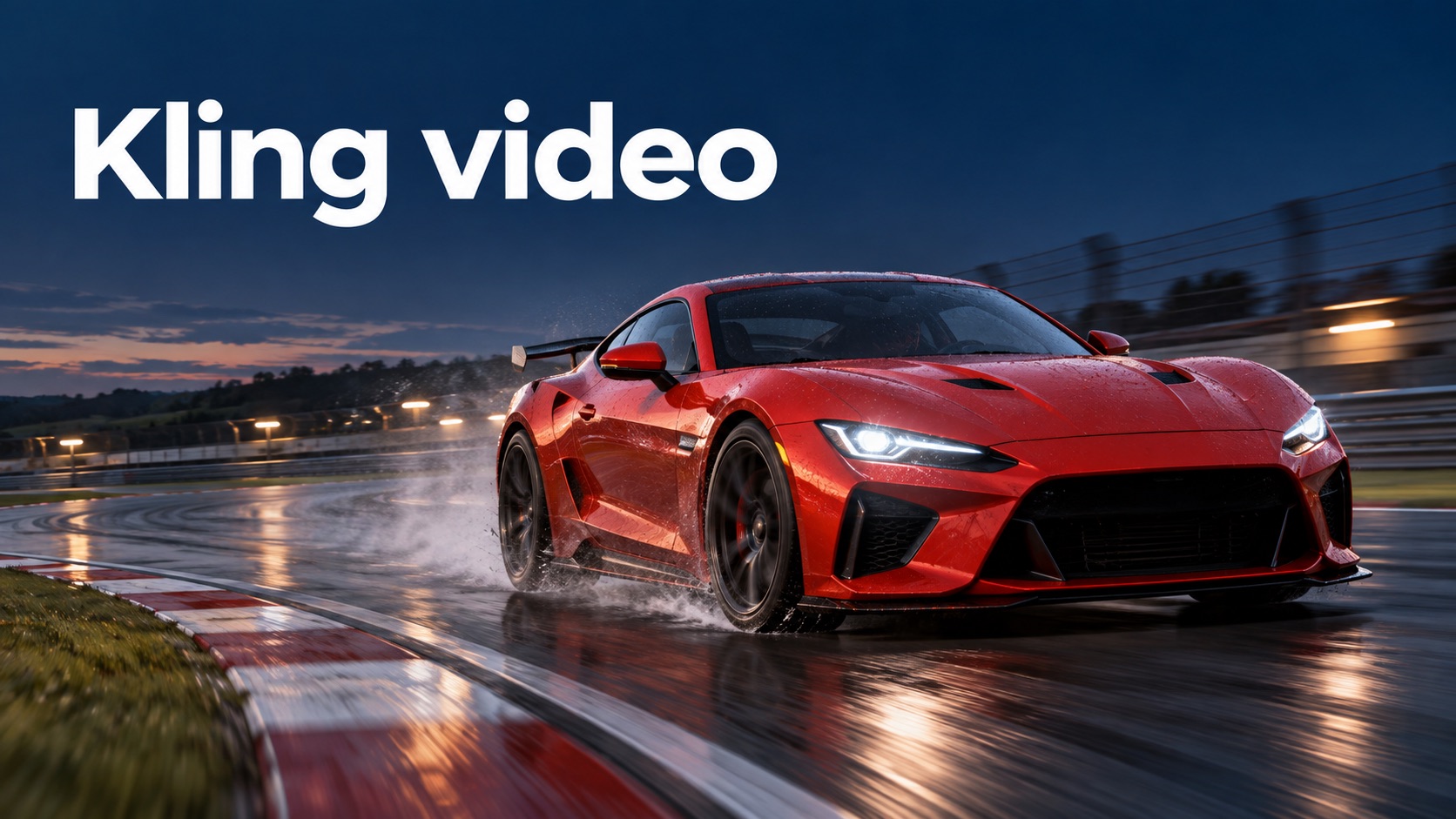
Build Your First Kling video in Three Clear Steps
A strong Kling video begins with a clear creative decision. Choose what viewers should notice, decide how that subject moves, and give the scene a purposeful ending. This AI video generator workflow helps you turn a broad idea into a shot you can evaluate. For Kling video from text, describe the scene you want to see. For Kling video from an image, use a clear starting composition and explain what should change. Keep your first attempt focused so you can identify useful improvements without rewriting the entire concept.

Choose the Starting Point for Kling video
Start with a written scene or a source image, depending on the inputs offered by your chosen service. For Kling video, a useful image has a distinct subject, readable lighting, and room for the planned movement. Treat the AI video generator as a way to explore one shot at a time. A precise starting point gives your Kling video a stronger visual direction and makes the result easier to judge.

Describe Motion for Kling video
Write what happens in a clear sequence: the subject begins an action, the camera responds, and the scene settles into its final composition. Give the AI video generator one main camera instruction and a few important lighting cues. Make your Kling video prompt specific about pace and direction, then leave unnecessary details out. Simple, coherent motion often communicates an idea more clearly than a crowded list of effects.

Review and Refine Your Kling video
Watch the result for subject appearance, action timing, and a usable ending. A Kling video may need another attempt when hands, faces, or moving objects look inconsistent. Change the instruction that addresses the problem rather than replacing every detail. Use your AI video generator to compare a slower action, a simpler camera move, or a more focused composition. When assembling a longer piece, select shots that connect visually and leave room for your final edit.
Give Every Kling video a Creative Purpose
The value of Kling video is the opportunity to explore how an idea feels in motion. Use this AI video generator to develop a scene around the moment that matters: a floating city emerging from clouds, a cat waking up, or a planet revealed through a window. Each Kling video feature below addresses a different creative starting point. Choose the approach that fits your material, keep the action readable, and judge the result against your intended story.
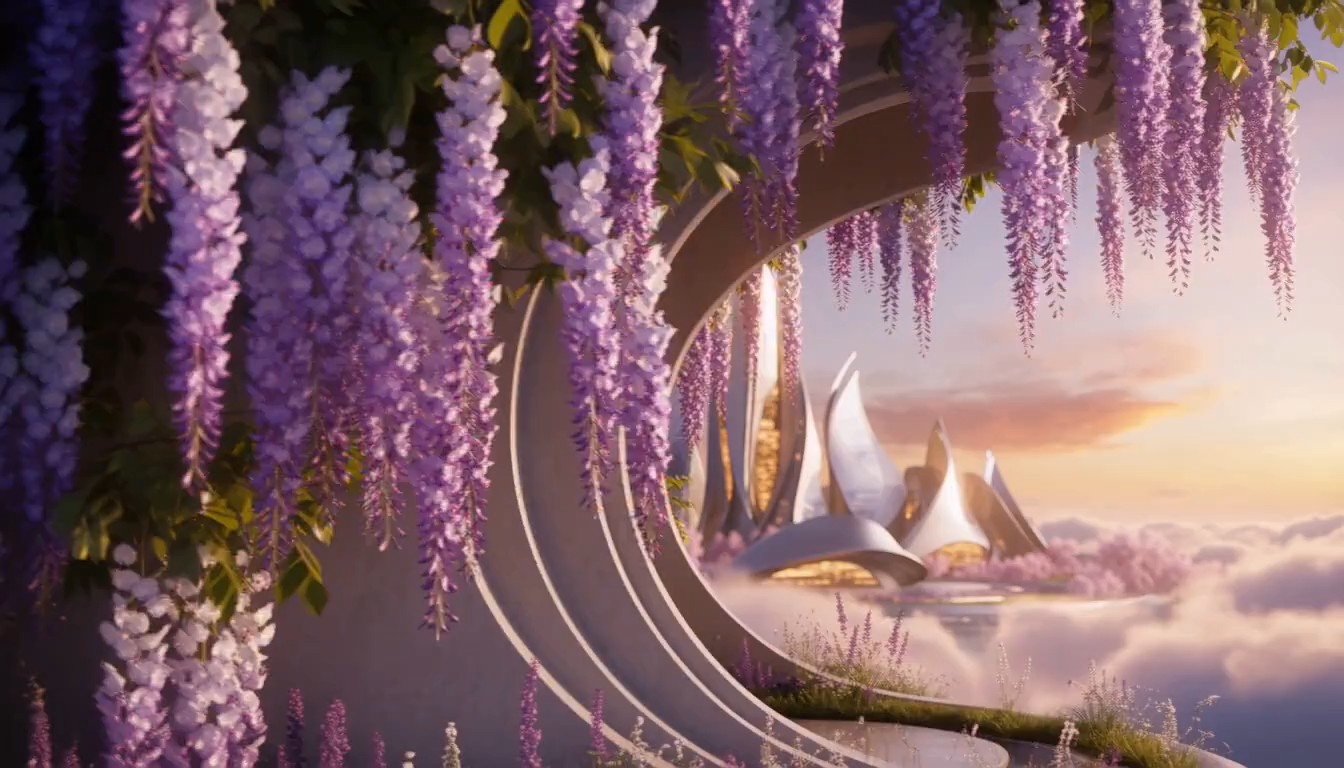
Kling video from Text: Make an Imagined Shot Visible
Turn a written idea into a scene you can discuss, revise, and build upon. For Kling video from text, describe a single subject doing something specific in a clearly defined setting. Use the AI video generator to explore atmosphere while keeping the action easy to follow. Your Kling video prompt can describe a cloud bank parting, a floating city emerging, and sunlight illuminating its gardens. Pair the action with a smooth advancing camera and twilight light. This approach helps writers, designers, and creators test a visual idea before committing to a production.
Kling video from Images: Give a Still Frame a Next Moment
A carefully chosen image already establishes the subject, styling, and composition. Kling video from images lets you explore what could happen next: a sleeping cat opens its eyes, lifts its head, and stretches on a sunlit windowsill. Tell the AI video generator which elements should move and which should stay visually stable. For Kling video image to video work, keep the requested action compatible with the starting pose and available space. Inspect fur markings, paws, and background details throughout the clip. Your Kling video should extend the image’s mood into a meaningful moment, with enough restraint to preserve the composition you selected rather than crowding it with unrelated visual events.

Kling video Camera Direction: Lead the Viewer’s Attention
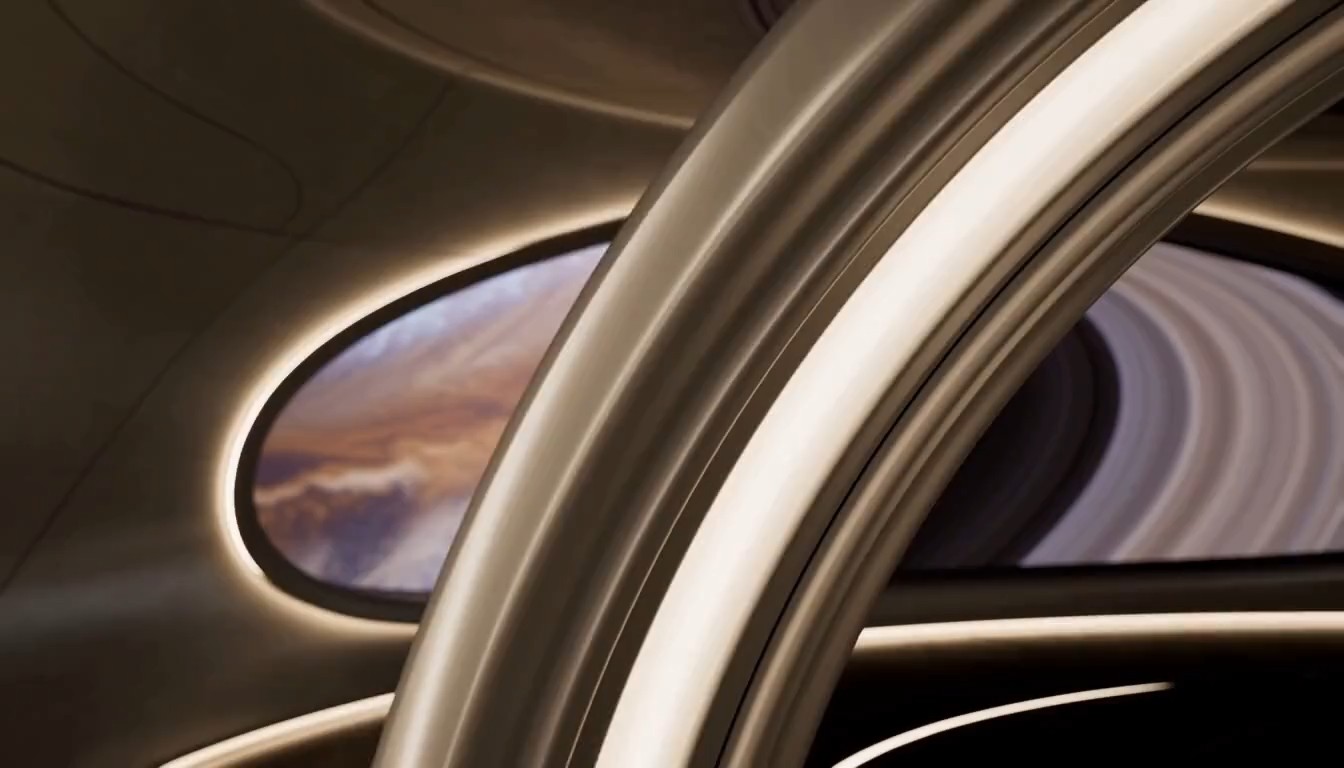
Camera movement changes the relationship between a viewer and a scene. Use Kling video camera movement prompts to reveal depth, follow an action, or unveil an unexpected environment. Guide the AI video generator through a spacecraft passage toward an observation window, revealing a ringed planet beyond the glass. For Kling video, pair one camera instruction with one dominant reveal and a clear endpoint. Review whether the foreground structure and distant planet remain coherent as the shot develops. A successful Kling video camera concept makes the viewer notice the right detail at the right moment and gives your edit a deliberate visual rhythm.
Where Kling video Fits Your Creative Work
Use Kling video when a short visual moment can explain a feeling, introduce a concept, or make an idea easier to discuss. This AI video generator can support exploratory creative work across social content, narrative development, design presentations, and atmospheric visuals. Treat each Kling video as one part of a larger communication plan. Pair the selected shot with an appropriate edit, accurate captions, and a clear context when sharing it.

Kling video for Social Storytelling
Give a social post a visual opening that establishes mood before the message appears. Use the AI video generator to explore alternate openings, then keep the version that feels connected to your subject. For Kling video social media ideas, leave space for captions added during editing and avoid relying on generated lettering. Preview the clip in its intended context, check that the first moment is clear, and make the final cut concise. Your Kling video should contribute to the story you want to tell rather than distract from it.

Kling video for Film Concepts
Explore the emotional logic of a scene before you assemble a larger narrative. Kling video can help you imagine an entrance, a reaction, or a reveal that a written outline cannot fully convey. Use the AI video generator to compare a patient camera approach with a more energetic direction. A Kling video storyboard concept works best when it answers one question, such as how a character’s hesitation might appear on screen. Do not expect separate generations to match automatically. Assess lighting, subject appearance, and action continuity before combining your Kling video shots into a sequence.

Kling video for Design Presentations
Translate an abstract creative direction into a short visual study. A Kling video might explore changing light across a sculptural surface, a mechanical installation opening, or a passage through an imagined building. Use the AI video generator to test how a mood develops over time and select a moment that makes your design intention understandable. Present your Kling video as a concept visualization when it depicts something that has not been built. Explain the idea it demonstrates and collect feedback on that idea. This makes Kling video a useful conversation starter while keeping the distinction between a visual proposal and a documented real environment clear.

Kling video for Atmospheric Visuals
Create a visual passage that supports a performance, an editorial theme, or a personal project. Kling video can explore the movement of light, a subject’s quiet gesture, or an imaginative scene with a clear focal point. Give the AI video generator an action that develops gently instead of demanding constant spectacle. When planning a Kling video background, consider how its movement will coexist with narration, music, or other visual elements added later. Review the clip for distracting changes and select a section with a stable rhythm. A restrained Kling video can create atmosphere while leaving attention available for the main message, especially when the visual and the final edit share the same pace.
Illustrative Kling video Creator Perspectives
These four fictional perspectives illustrate ways different creators might approach Kling video; they are sample copy, not verified customer reviews. Use them as editorial examples or replace them with approved feedback from real users before presenting them as testimonials. An AI video generator can be part of an exploratory process, but the person directing the work still decides whether a shot communicates the intended idea. The examples show how Kling video might support that decision across writing, architectural filmmaking, design, and publishing.
For a video draft concept, I would begin with the moment a character decides to enter a room. That small action can reveal hesitation, curiosity, or confidence depending on timing and camera position. I would use an AI video generator to compare the mood of those approaches, then select the direction that best serves the script. A Kling video draft would give collaborators something concrete to discuss alongside the scene notes. My review would focus on whether the gesture reads clearly and whether the ending supports the next shot, rather than treating the first result as a finished sequence.
For a video draft concept, I would begin with the moment a character decides to enter a room. That small action can reveal hesitation, curiosity, or confidence depending on timing and camera position. I would use an AI video generator to compare the mood of those approaches, then select the direction that best serves the script. A Kling video draft would give collaborators something concrete to discuss alongside the scene notes. My review would focus on whether the gesture reads clearly and whether the ending supports the next shot, rather than treating the first result as a finished sequence.
I would approach a video draft by choosing one visual reveal with a clear beginning and finish. Clouds drifting apart, a city emerging, and sunlight reaching its gardens gives the sequence a readable progression. With an AI video generator, I would describe cloud movement and camera direction before adding atmosphere. My Kling video prompt would keep the advancing camera simple enough to let the action remain visible. I would review architectural detail and spatial depth carefully, then refine anything that distracts from the intended sense of discovery.
I would approach a video draft by choosing one visual reveal with a clear beginning and finish. Clouds drifting apart, a city emerging, and sunlight reaching its gardens gives the sequence a readable progression. With an AI video generator, I would describe cloud movement and camera direction before adding atmosphere. My Kling video prompt would keep the advancing camera simple enough to let the action remain visible. I would review architectural detail and spatial depth carefully, then refine anything that distracts from the intended sense of discovery.
A video draft study could help me explore the feeling of moving through an imagined installation. An AI video generator would be one way to develop a visual proposal for discussion. I would label the Kling video as a concept and explain which aspect needs feedback, whether that is atmosphere, pacing, or the relation between materials. Reviewing the result would help me decide what deserves further development, while drawings and other design work would still establish the practical details of the actual project.
A video draft study could help me explore the feeling of moving through an imagined installation. An AI video generator would be one way to develop a visual proposal for discussion. I would label the Kling video as a concept and explain which aspect needs feedback, whether that is atmosphere, pacing, or the relation between materials. Reviewing the result would help me decide what deserves further development, while drawings and other design work would still establish the practical details of the actual project.
For video draft editorial work, I would first decide what a short clip adds to the page. I would use the AI video generator to test the visual direction and check the output against the surrounding story. A Kling video draft would need a careful review for distracting artifacts and misleading implications before use. I would add accurate context during editing and select a clean ending, so the moving image supports the reader’s understanding instead of becoming an unrelated decorative element.
For video draft editorial work, I would first decide what a short clip adds to the page. I would use the AI video generator to test the visual direction and check the output against the surrounding story. A Kling video draft would need a careful review for distracting artifacts and misleading implications before use. I would add accurate context during editing and select a clean ending, so the moving image supports the reader’s understanding instead of becoming an unrelated decorative element.
Kling video Questions, Answered
Plan your Kling video around the inputs and options available in your chosen service. These answers cover creative starting points, prompt structure, and review habits so you can approach the workflow with a clear purpose.
Kling video refers to video generation using Kling’s AI video technology. You can explore scenes from written descriptions or supported image inputs; the exact tools, limits, and settings depend on the service and version you use.
Name the subject, describe one clear action, and add a camera direction and lighting cue. For a Kling video prompt, a focused sequence is easier to evaluate than a long list of competing movements; revise the detail responsible for an unwanted result.
Image to video is part of the Kling workflow, though access varies by service. Start with a clear image you have permission to use, describe compatible movement, and review whether the resulting clip preserves important subject and background details.
Free access, credits, pricing, and account requirements depend on the platform hosting the generator. Check the current offer before generating; this page does not promise unlimited use, a particular credit allowance, or a permanently free plan.
Check the current terms of your chosen service and confirm that you have appropriate rights to source material and depicted people. Review the finished clip in context before using it in a campaign, client deliverable, or other commercial project.
Generated motion can include visual inconsistencies or differ from your intended action. Simplify the movement, clarify the camera direction, or select a cleaner source image; compare the next result against the specific issue you wanted to improve.
Make Your Next Idea a Kling video
Choose one scene you want to bring into motion and begin with its most meaningful action. Write a focused prompt, select a suitable starting image when supported, and review the result with your story in mind. Your next Kling video can begin with a simple creative decision: what should the viewer notice first, and how should that moment end?
