
Upload two clear adult photos, one for each dancer, and create a shared Babydoll two-step without writing a prompt.
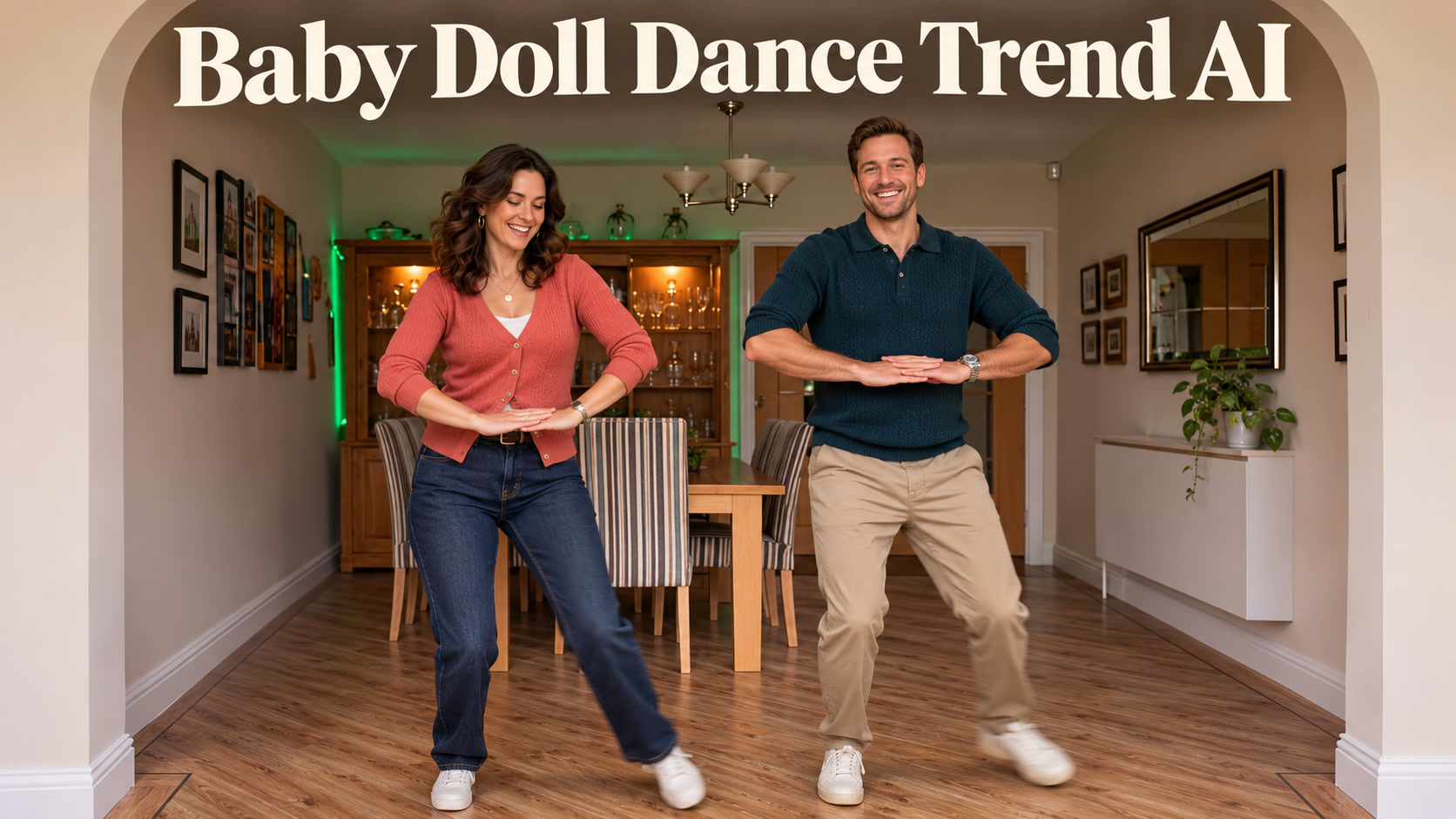
Baby Doll Dance Trend AI Video Generator
Turn Two Photos Into A Playful Babydoll Duet
Bring yourself and someone you love into the same cheerful two-step. Baby Doll Dance Trend AI Video Generator uses two photos to create a shared dance scene, with the forward bounces, low arm swings and playful gestures that give this trend its personality. Your photos supply the faces and outfits. No choreography to learn or performance to film together. Baby Doll Dance Trend AI Template keeps the experience focused on one familiar living-room duet, so the creative choice begins with who you want beside you. Make a Babydoll dance video for a partner, a close friend or a family celebration. Turn two portraits into a moment with energy and connection.
How To Use Baby Doll Dance Trend AI
Use Baby Doll Dance Trend AI Template in four simple steps. Add your two dancers, generate the included routine, and review the finished clip.

Add The Left Dancer
Upload one clear photo of the first adult. This person takes the left-hand position in the duet.
Add The Right Dancer
Upload one clear photo of your partner. Keep one person in each image, with faces and full bodies visible.

Generate Your Duet
Check the displayed generation cost, then start the video. The dance reference is already included, so you do not need to write a prompt.

Review And Download
Watch the complete result and check both dancers. Download the version you want to keep.
What You Can Create With Baby Doll Dance Trend AI Video Generator
The appeal of Baby Doll Dance Trend AI is the relationship between two recognizable people and a routine that feels immediately welcoming. Baby Doll Dance Trend AI Template supplies the movement; your photo choices supply the personal connection. Use Baby Doll Dance Trend AI Video Generator for a warm, playful scene rather than a complicated production.
Recognizable People, Shared Rhythm
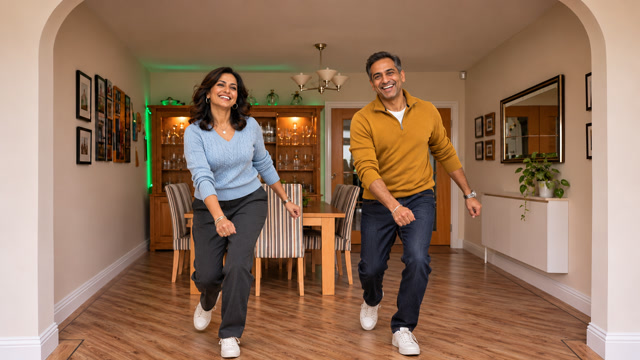
Baby Doll Dance Trend AI Video Generator brings two separate photos into one shared performance. Choose an image where each person looks unmistakably like themselves, with a clear face, familiar hairstyle and an outfit you would enjoy seeing move. Baby Doll Dance Trend AI Template uses these visual references for the two dancers, while the included clip provides the steps and timing. That makes a Babydoll dance video from photos personal without a new recording. A clear standing photo provides more detail than a heavily filtered selfie. Baby Doll Dance Trend AI is especially enjoyable when the clothes tell a small story, such as a favorite cardigan beside a partner's familiar sweater. Review the faces during movement and the hands as they cross the body. Each interpretation can vary in resemblance and small details. Choose the version that feels most like your pairing.
A Specific Two-Step, Already Included
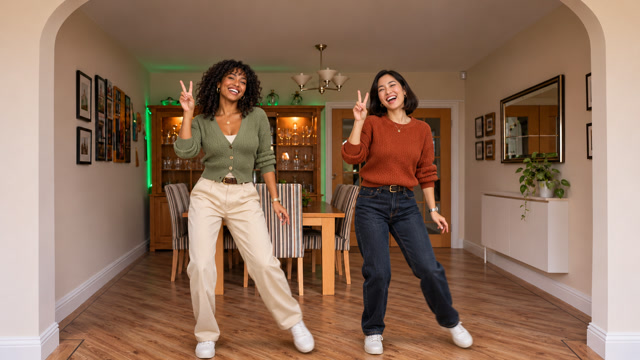
Baby Doll Dance Trend AI Template follows a recognizable living-room duet rather than leaving the choreography to guesswork. The dancers begin together, bounce toward the camera, move their arms low, flash peace signs, step sideways and lift their arms into the closing phrase. These connected beats are what make Jamie Miller Babydoll dance recreations recognizable. Baby Doll Dance Trend AI Video Generator uses the included motion reference to guide that sequence, giving both people a common rhythm and a shared scene. No need to describe foot placements or assemble separate takes. Baby Doll Dance Trend AI works best as one clear idea: two people enjoying the same easygoing routine. Keep the image order consistent so each dancer has an unambiguous role. Those roles should continue through turns, although fast movement can introduce imperfections. Watch both performers through the full sequence before choosing your finished take.
Two Photos, One Warm Living-Room Moment
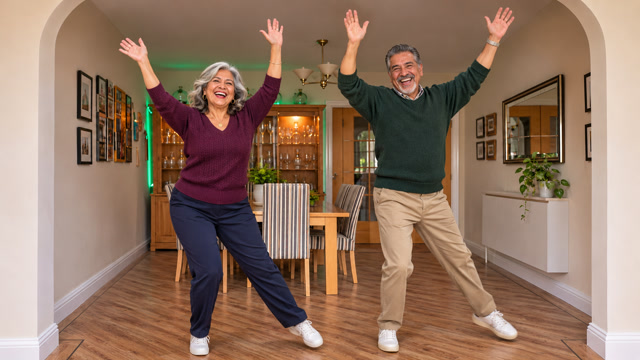
People do not have to stand in the same room for a shared creative idea. Baby Doll Dance Trend AI Video Generator starts from separate images, making the pairing possible even when your photos were taken on different days. Baby Doll Dance Trend AI Template places the performers together in the included domestic scene, with a wooden floor, warm room details and a steady view of the dance. That setting keeps attention on the connection between the two dancers. For a Babydoll dance with friends, choose images with similarly clear lighting and enough visible body detail to guide the result. Baby Doll Dance Trend AI makes an ordinary snapshot feel like the start of a small celebration. The room and choreography keep the same creative direction. The people provide the variation. A playful outfit pairing or an unexpected duo can give the familiar routine a fresh personality.
Ideas For Your Baby Doll Dance Trend AI Template Duet
Start with the person you would most enjoy dancing beside. Baby Doll Dance Trend AI Video Generator is suited to personal creative moments where a familiar face matters more than elaborate staging. Baby Doll Dance Trend AI Template keeps the routine consistent across each idea, from a quiet anniversary message to a cheerful friendship post. You can make a Babydoll dance video that feels specific to your own relationship without building a new dance from scratch.

Couples And Anniversary Messages
Give a familiar couple photo idea a little movement. Baby Doll Dance Trend AI Video Generator can turn separate portraits into a duet for an anniversary message, a date-night joke or a small surprise sent directly to your partner. Baby Doll Dance Trend AI Template keeps the focus on the pair, with both dancers moving together in the same living room. Choose clothes that feel like you. Imagine a shared performance without an evening learning steps. To make a Babydoll dance video feel more personal, write a short message when you share it. Let the dancers provide the affection. Review the result together before posting it publicly.

Friends Across Different Places
A shared joke does not need a shared filming session. Baby Doll Dance Trend AI Template gives two friends a common routine even when their photos come from different cities or different years. Use clear images showing how you look today. Baby Doll Dance Trend AI Video Generator places the pair side by side, so a Babydoll dance with friends becomes one connected scene instead of two unrelated clips. Try it for birthday greetings, reunion messages and your group chat. Decide who belongs on the left before uploading. When creating a Babydoll dance video from photos, similar framing helps make the reference pair easier to interpret. Keep the caption simple and let the unexpected pairing do the entertaining.

Family Celebrations And Shared Laughs
Celebrate the adults who make family gatherings memorable. Baby Doll Dance Trend AI Video Generator offers a playful idea for parents, grandparents or siblings who enjoy a lighthearted surprise. The included routine needs no rehearsal or repeated filming. Pick clear faces and comfortable standing poses. It suits birthdays, milestones or an ordinary day needing some fun. Jamie Miller Babydoll dance clips often invite people of different generations into the same simple choreography; that shared spirit is the inspiration here. Make a Babydoll dance video for the people pictured, show them the result, and choose together how you want to share the moment.
Personal Reels And Creative Posts
Build a short social idea around a pairing your audience will recognize. Baby Doll Dance Trend AI Template supplies a consistent duet, while the photo choices can match your everyday style, a favorite color combination or a recurring friendship joke. Baby Doll Dance Trend AI Video Generator helps you explore the idea without filming the dance yourself. A Babydoll dance with friends can become the playful centerpiece of a birthday post or a reunion update. Choose two clear references and a reason these people belong together. Review the complete clip before adding your caption in the app where you post. Check the finished sound as well as the picture, and use the posting platform's available music tools when you need a particular track.
Creative Perspectives On Baby Doll Dance Trend AI Template
Fictional names and illustrative reactions describe possible creative uses; these are not verified customer testimonials.
I like the warmth of Baby Doll Dance Trend AI Template. Two familiar people sharing a simple dance feels more personal to me than adding another layer of visual effects. Baby Doll Dance Trend AI is an appealing idea for a small anniversary greeting.
I like the warmth of Baby Doll Dance Trend AI Template. Two familiar people sharing a simple dance feels more personal to me than adding another layer of visual effects. Baby Doll Dance Trend AI is an appealing idea for a small anniversary greeting.
The clear left-and-right pairing in Baby Doll Dance Trend AI Video Generator makes the concept easy to understand. I would use a Babydoll dance video from photos as a playful birthday message for a friend who lives far away.
The clear left-and-right pairing in Baby Doll Dance Trend AI Video Generator makes the concept easy to understand. I would use a Babydoll dance video from photos as a playful birthday message for a friend who lives far away.
For me, Baby Doll Dance Trend AI Template works because the choreography already has a recognizable mood. Baby Doll Dance Trend AI Video Generator leaves the interesting choice to the people in the photos.
For me, Baby Doll Dance Trend AI Template works because the choreography already has a recognizable mood. Baby Doll Dance Trend AI Video Generator leaves the interesting choice to the people in the photos.
The everyday-room setting is what I enjoy about Baby Doll Dance Trend AI. It feels approachable. Jamie Miller Babydoll dance recreations have that cheerful, shared quality, and I would keep the photo choices just as relaxed.
The everyday-room setting is what I enjoy about Baby Doll Dance Trend AI. It feels approachable. Jamie Miller Babydoll dance recreations have that cheerful, shared quality, and I would keep the photo choices just as relaxed.
Baby Doll Dance Trend AI Template Questions
Find practical answers about Baby Doll Dance Trend AI Video Generator, photo preparation and the included duet. Baby Doll Dance Trend AI Template keeps the creative task focused, while these details help you choose useful references and review the result.
Baby Doll Dance Trend AI is a photo-based way to recreate the cheerful Babydoll two-step as a two-person video. Baby Doll Dance Trend AI Video Generator uses your images as appearance references and an included dance clip as the movement guide. The underlying trend is associated with Jamie Miller's song Babydoll. The name refers to the dance, not a baby or toy. Baby Doll Dance Trend AI Template focuses on the living-room duet version, with two dancers moving side by side.
Use two sharp, well-lit photographs with one adult in each. Full-body standing images are helpful because they show clothing, proportions and shoes as well as the face. Baby Doll Dance Trend AI Video Generator uses the first image for the left dancer and the second for the right. Avoid obscured faces when preparing a Babydoll dance video from photos. Baby Doll Dance Trend AI Template has a full-body routine, so missing limbs or hidden shoes give the model less visual information. Baby Doll Dance Trend AI can still vary in likeness and detail; inspect the result rather than assuming every frame will match perfectly.
No handwritten prompt is needed for the included effect. Baby Doll Dance Trend AI Template already provides the dance reference and the direction for replacing the two performers. Add the two appearance images, check the displayed generation cost and start. Baby Doll Dance Trend AI Video Generator is intended to keep the visitor's part of the process simple. No need to describe individual steps. Baby Doll Dance Trend AI follows the included duet; a different dance, a different cast size or a new setting would be a different creative request.
Yes. The two reference pictures do not need to come from a shared photo session. Baby Doll Dance Trend AI Video Generator brings the two people into the same included scene, which makes a Babydoll dance with friends possible without arranging a filming day. Choose pictures that clearly identify each person and keep their upload order consistent. Baby Doll Dance Trend AI Template uses the same scene and routine for both performers. Choose a meaningful pair, such as a partner abroad or an old friend.
The included motion clip guides the sequence, timing and framing. Baby Doll Dance Trend AI Template follows the living-room version, including bouncy forward steps, low arm movement, peace signs, sideways steps and raised arms. Baby Doll Dance Trend AI Video Generator creates a new video interpretation, so it can introduce changes in faces, hands, clothing or foot contact. Jamie Miller Babydoll dance references provide a recognizable direction, rather than a guarantee of identical frames. Baby Doll Dance Trend AI results should be reviewed from beginning to end. Look at the transitions between gestures as well as the strongest still frame.
Watch both dancers throughout the clip, especially during hand gestures and faster steps. Baby Doll Dance Trend AI Video Generator can introduce small visual inconsistencies, so check faces, fingers, outfits and grounded feet before you choose a take. Listen to the downloaded result instead of assuming a particular soundtrack is included. Baby Doll Dance Trend AI Template uses a dance associated with Jamie Miller's song, but the effect name alone does not establish the audio in every output. Baby Doll Dance Trend AI fits your own post once everyone pictured is happy with the result.
Create Your Baby Doll Dance Trend AI Video Generator Duet
Choose the person you want beside you and bring two clear photos. Baby Doll Dance Trend AI Video Generator turns the pairing into a shared two-step without a filming session or a handwritten prompt. Baby Doll Dance Trend AI Template supplies the routine; the photos bring the personality. Make a Babydoll dance video for a greeting, a private laugh or your next personal post. Keep the take that captures your mood.