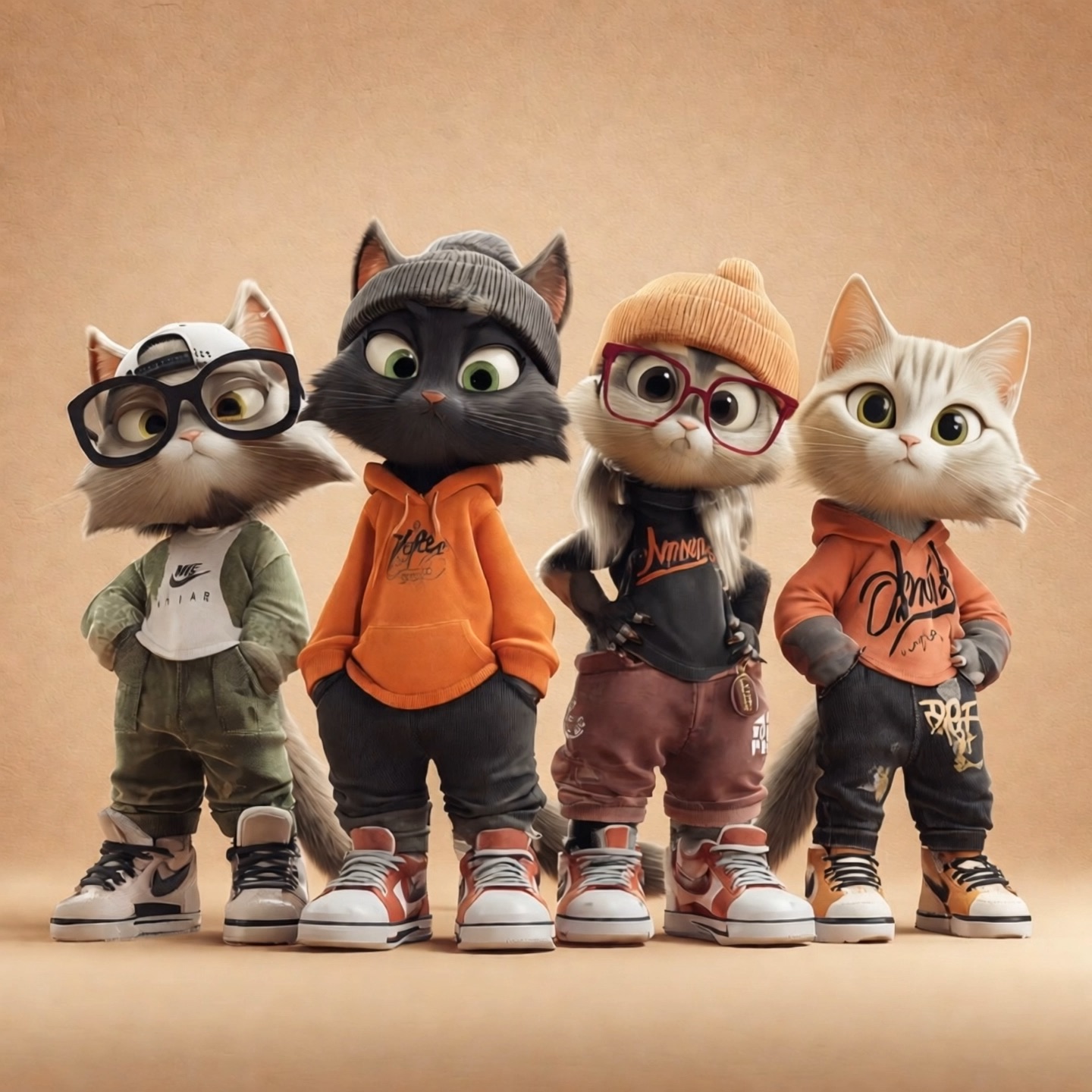
Describe your idea or upload a reference, then create product visuals, posters and illustrations with GPT Image 2.6.
Create And Refine With GPT Image 2.6
An AI Image Generator For Your Next Creative Brief
Turn ideas into images with GPT Image 2.6, starting from a written brief or a photo you want to develop. Explore product image concepts, campaign compositions and illustrations. This AI image generator gives your idea a visual starting point, while image editing helps you refine a direction you already like. Describe the subject, light and layout, then review what the result communicates. GPT Image 2.6 is useful when a mood board needs a clearer focal point or a rough idea needs something your team can discuss.
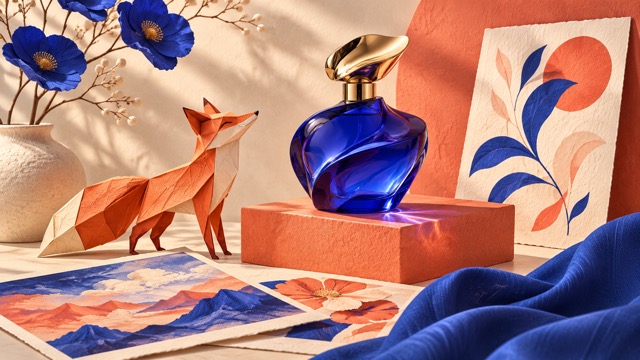
How To Use GPT Image 2.6
A clear brief makes this AI image generator easier to direct. Use GPT Image 2.6 to turn ideas into images through a simple cycle of describing, generating and reviewing. For image editing, begin with a suitable reference and explain what should change.

Describe The Visual Goal
Start GPT Image 2.6 with the subject and the purpose of your image. Tell the AI image generator where the image will appear and what should catch attention first. For posters with text, include the exact headline and its intended position. GPT Image 2.6 can work from a short brief, but useful specifics give you a clearer result to evaluate.

Add A Reference When Needed
For reference image editing, upload a clear source that shows the details you want to retain. Tell GPT Image 2.6 which object, person or composition should guide the result. Image editing instructions work best when they distinguish the requested change from the features that should stay. GPT Image 2.6 does not need a reference for a new text-led concept, so choose the starting point that suits your brief instead of adding an image without a purpose.

Generate A Focused First Version
Select the available image settings and check the displayed generation cost before submitting. GPT Image 2.6 should receive one coherent brief: subject, setting, lighting and overall treatment. An AI image generator can interpret a scene in different ways, so begin with the most important relationship between its objects. For product image concepts, specify the camera view and the space around the item. When using image editing, avoid combining a small background change with an unrelated character redesign. GPT Image 2.6 is easier to assess when the first request has a clear visual goal.

Review And Refine The Result
Inspect the composition, spelling, edges and important details before using the file. GPT Image 2.6 results may need another pass, especially when a scene contains small lettering or several interacting objects. Use the strongest AI image generator result as a reference and ask for a focused adjustment. Use a new brief to explore another direction, or keep refining the version you prefer. GPT Image 2.6 becomes part of your creative process when you decide what deserves to stay.
Explore What GPT Image 2.6 Can Help You Create
Move from a broad idea to a more deliberate visual direction. GPT Image 2.6 brings an AI image generator and image editing workflow into the same creative brief.
Develop Product Image Concepts
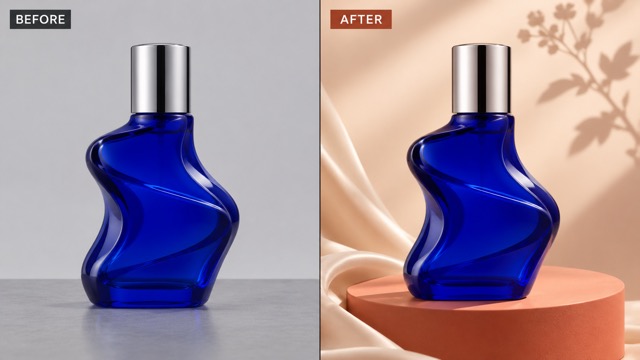
Use GPT Image 2.6 to explore how a familiar item could look in a new setting. Start with a clean product reference and describe a surface, background and lighting direction that supports its shape. An AI image generator can help you compare an understated studio composition with a more expressive seasonal treatment. Reference image editing gives that exploration a concrete starting point, rather than asking an AI image generator to invent the item from memory. GPT Image 2.6 instructions should name the packaging, proportions and colors that matter. Image editing still requires close review: check the cap, label, silhouette and contact shadow against the source. Develop product image concepts for a campaign discussion, then select the direction worth taking further. GPT Image 2.6 can also help you plan empty space for a headline without filling the picture with unrelated props.
Compose Posters With Text
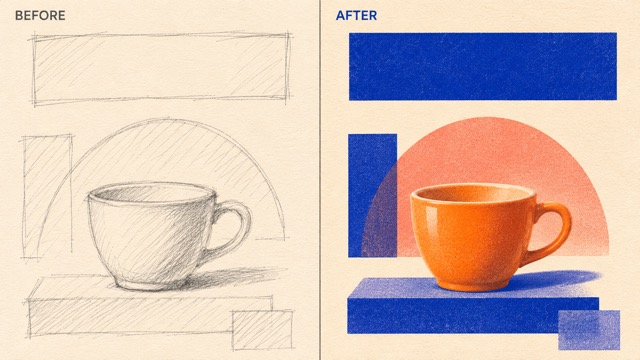
Bring a headline and a visual idea into one brief with GPT Image 2.6. Explain the event, audience and mood, then specify which element should lead the composition. An AI image generator benefits from a clear hierarchy: a strong focal subject, deliberate negative space and a small amount of essential copy. For posters with text, provide the wording and ask for readable placement instead of leaving the headline to chance. GPT Image 2.6 can help you compare color directions or develop a rough sketch into a more polished graphic concept. Use image editing to revise the background, rebalance a shape or simplify a crowded area. Check every letter and number before sharing the result, particularly dates, small labels and names. GPT Image 2.6 is a starting point for visual exploration, while your review determines if a poster communicates clearly.
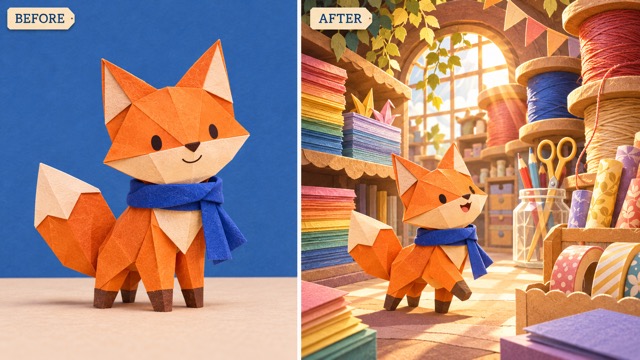
Develop A Character From A Reference
Give an original character a new setting with GPT Image 2.6. Upload a useful reference, identify its recognizable features and describe a scene that fits its personality. An AI image generator can explore illustration styles, framing and mood, while reference image editing helps connect each new version to the starting design. Ask GPT Image 2.6 to retain the silhouette, outfit colors and key facial details that define the character. Use image editing to adjust a prop or background without rewriting the entire brief. Review the result beside the original; repeated patterns, accessories and proportions may still need correction. GPT Image 2.6 can help you turn ideas into images for a story pitch, presentation or creative campaign.
Put GPT Image 2.6 To Work On Your Next Brief
An AI image generator is most useful when the destination is clear. GPT Image 2.6 can support a first visual draft, a creative discussion or a focused image editing task.

E-Commerce Creative Direction
Explore product image concepts for a new collection, listing refresh or seasonal campaign. GPT Image 2.6 can help you compare lighting and background treatments from the same reference. Use a focused edit to remove distracting visual ideas or refine the setting. GPT Image 2.6 outputs should be checked against the actual product before they inform a customer-facing asset. Review colors, materials, packaging and any visible text rather than assuming a polished image is an accurate one. Give the AI image generator a clear framing goal.

Launch Posters And Social Graphics
Create a visual direction for an announcement, workshop or social post. GPT Image 2.6 can help organize a central subject, a limited palette and a clear headline area. For posters with text, keep the message concise and identify the reading order. Let the AI image generator explore the main composition, then use image editing to simplify details that compete with the message. GPT Image 2.6 is useful for discussing alternatives before a final layout is chosen.

Editorial And Presentation Illustrations
Turn ideas into images that explain the theme of an article or support a presentation. GPT Image 2.6 can explore a visual metaphor, a handcrafted treatment or an original scene around your message. Tell the AI image generator what the audience should understand from the picture. Use image editing to bring attention back to the main subject when the scene becomes too busy. GPT Image 2.6 illustrations need your editorial judgment: check factual relationships, remove misleading details and choose an image that complements the surrounding words instead of merely decorating the page.

Character And Story Development
Use reference image editing to develop an original mascot or a fictional character for a creative brief. GPT Image 2.6 can place that design in a new scene while you specify the features to preserve. Give the AI image generator one clear action and a setting that supports it. Image editing can then refine a prop, expression or background detail. GPT Image 2.6 helps you discuss possibilities, while a consistent character sheet keeps the project grounded in your own choices.
Creative Perspectives On GPT Image 2.6
The following fictional names and example reactions illustrate creative priorities. They are not verified customer endorsements or reports of measured model performance.
GPT Image 2.6 appeals to me for exploring product settings, with the reference guiding what should stay recognizable.
GPT Image 2.6 appeals to me for exploring product settings, with the reference guiding what should stay recognizable.
I like a brief with a clear focal point, deliberate spacing and one concise message.
I like a brief with a clear focal point, deliberate spacing and one concise message.
For me, this workflow is useful for discussing visual ideas while keeping the story and audience in view.
For me, this workflow is useful for discussing visual ideas while keeping the story and audience in view.
GPT Image 2.6 makes the idea of focused revision appealing: decide what to keep, then develop one meaningful change.
GPT Image 2.6 makes the idea of focused revision appealing: decide what to keep, then develop one meaningful change.



GPT Image 2.6 Questions And Answers
Understand how to brief an AI image generator, prepare for image editing and review an AI image generator result. GPT Image 2.6 works best as part of a creative process with a clear goal and an attentive final check.
GPT Image 2.6 is OpenAI’s image generation and editing model family. It accepts text and image inputs to create new visuals or develop an existing image. Use GPT Image 2.6 for a written visual brief, a reference-guided composition or an illustration concept. As with any AI image generator, the result should be reviewed for details that matter to your project. AI image generator capabilities and the controls available in a particular interface can differ.
Begin with the subject, setting and purpose, then add composition, lighting and style. GPT Image 2.6 does not need a long list of adjectives when a few concrete instructions explain the image. For posters with text, give the exact words and their intended place. For image editing, name the change and specify what should remain. Try a focused first version, review it and revise one important element. GPT Image 2.6 can help you turn ideas into images, but a clear brief makes the direction easier to judge.
Yes, GPT Image 2.6 supports image inputs for editing and reference-guided work. Choose a clear photo, explain its role and describe the change you want. Reference image editing is useful when a product, character or layout should anchor the result. GPT Image 2.6 instructions should state which details to preserve, such as colors, proportions or the main composition. For image editing, compare the output against the source rather than relying on a general impression.
Use GPT Image 2.6 to explore product image concepts, editorial illustrations, character scenes and campaign compositions. An AI image generator can help you discuss a direction before you commit to a finished design. Decide where the image will appear and identify the element that should attract attention first. GPT Image 2.6 can also support image editing when you already have a useful starting picture.
No result should be assumed to preserve every detail perfectly. GPT Image 2.6 can follow instructions about subjects and composition, but you should check faces, hands, product shapes, lettering and object relationships. For image editing, list the important features to keep and compare them directly with the reference. GPT Image 2.6 is easier to refine when each request has a narrow purpose. If a key detail drifts, return to the strongest reference and ask for a focused correction before developing more variations.
Choose the aspect ratio and resolution offered by the current form according to the image’s destination. GPT Image 2.6 briefs for a wide website visual may need different framing from a portrait poster. Check the displayed credit requirement before generating; do not assume every setting has the same cost. Review the result at full size and at the size your audience will see. GPT Image 2.6 can produce a strong concept, but spelling, accuracy and the final composition still need your judgment before you share it.
Start Your Next Visual With GPT Image 2.6
Bring one clear idea or a useful reference to GPT Image 2.6. Describe the result you want, let this AI image generator develop a first version and refine the details that make it yours. Start with a focused brief and create an image worth developing. Use this AI image generator to develop your next creative direction.